
Calories From a Photo: A Practical Estimation Guide
Estimate calories from a photo with a better capture routine, portion checks, and clear limits for sauces, mixed dishes, and restaurant meals.

Quick answer
To estimate calories from a photo, capture the entire meal clearly, identify each major component, check the portion assumptions, and account for oils, sauces, drinks, and leftovers. Use a label or known recipe when available. A photo provides an estimate rather than a direct calorie measurement, so restaurant dishes and mixed meals need extra caution.
Key takeaways
- Photograph the complete portion before eating.
- Review food identity before adjusting quantities.
- Check hidden additions and the amount actually consumed.
- Known labels and recipes should take priority over visual guesses.
- Capture the plateGood light, full meal, before eating.
- Check the foodNames and cooking methods first.
- Check the amountPortions, sauces, and hidden layers.
- Check consumptionInclude drinks; subtract leftovers.
Estimating calories from a photo can be convenient when lunch is ready and you do not want to search a database for every ingredient. The photograph helps preserve what the meal looked like, and an AI scanner can turn that image into an initial nutritional estimate.
What it cannot do is recover every missing detail. The most useful approach combines a clear photograph with a short review of the foods, portions, and additions. You are checking a plausible interpretation, not accepting a measurement taken by a camera.
Start with the right expectation
Food energy is not directly visible. A photo can suggest what food is present and roughly how much space it occupies. Calories then depend on the assumed amount and composition. A different recipe can produce a different result even when the plate looks similar.
An AI food scanner can help with the identification and estimation steps. You still provide valuable context: whether the rice contains butter, whether the sauce is creamy, and whether the plate belongs to one person or is shared.
Step 1: Capture the entire meal
Take the photograph before eating, with the main foods clearly visible. Use daylight or a bright room, keep the lens clean, and avoid heavy filters. A straightforward image is more useful than an artistic close-up that cuts off half the plate.
Keep the plate and its edges in frame when possible. The surrounding context can help you judge scale, although an ordinary plate is not a precise measurement reference because plate sizes vary.
If the meal has several dishes, make a record of them all. A photo of the main bowl does not automatically account for bread, a side salad, extra dip, dessert, or a drink outside the frame.
What about stacked or mixed meals?
A sandwich, burrito, casserole, or deep bowl conceals ingredients. A side view or an opened cross-section may provide more context for your own review, but do not assume every app supports combining multiple images into one analysis.
Use the input options actually available. If an app cannot incorporate extra context, compare the estimate manually with the recipe or label rather than pretending the hidden ingredients were recognized.
Step 2: Confirm the foods and preparation
Review the food names before the calorie total. A large numerical correction will not solve an incorrect food match. Plain tofu and fried tofu, for example, can have different energy content because preparation changes what the portion contains.
Check these common mismatches:
- Grilled meat interpreted as breaded or fried, or the reverse.
- Cream sauce interpreted as a light tomato sauce.
- Cooked grains matched to dry ingredient amounts.
- Plant-based alternatives mistaken for their conventional counterparts.
- A mixed dish reduced to only its most visible component.
This step often takes only a moment when you know what you ordered or cooked. If you do not know, keep the uncertainty visible rather than selecting a confident-sounding explanation.
Step 3: Review portion assumptions
Compare the estimated portion with the actual serving. Look at the amount of rice underneath toppings, the thickness of a cut of meat, and how full a bowl is. Surface area alone does not establish food volume or weight.
For familiar meals, build your own reference points by measuring a typical portion once. Our guide to estimating portion sizes explains how to calibrate a usual bowl or serving spoon without turning every meal into a weighing exercise.
Avoid universal shortcuts such as “one palm always equals this many grams.” Hands differ, food density differs, and thickness matters. A hand can be a rough visual reference, not an exact conversion formula.
Step 4: Account for additions
Cooking oil, dressings, cheese, nuts, spreads, and sweetened beverages can change an estimate substantially. They may be partly hidden or visually indistinguishable from a lighter alternative.
| Meal detail | Why a photograph may miss it | Better evidence |
|---|---|---|
| Oil in roasted vegetables | Absorbed or spread thinly | Recipe or amount used |
| Dressing mixed into salad | Coats leaves without obvious volume | Label and serving amount |
| Filling inside a wrap | Hidden by the tortilla | Ingredient description |
| Sweetener in a drink | Dissolved and invisible | Recipe or product label |
You do not need a perfect answer for every addition. Identify the biggest unknowns and avoid false precision. If a restaurant publishes nutrition for the specific dish, use that as a stronger reference while remembering that actual preparation can still vary.
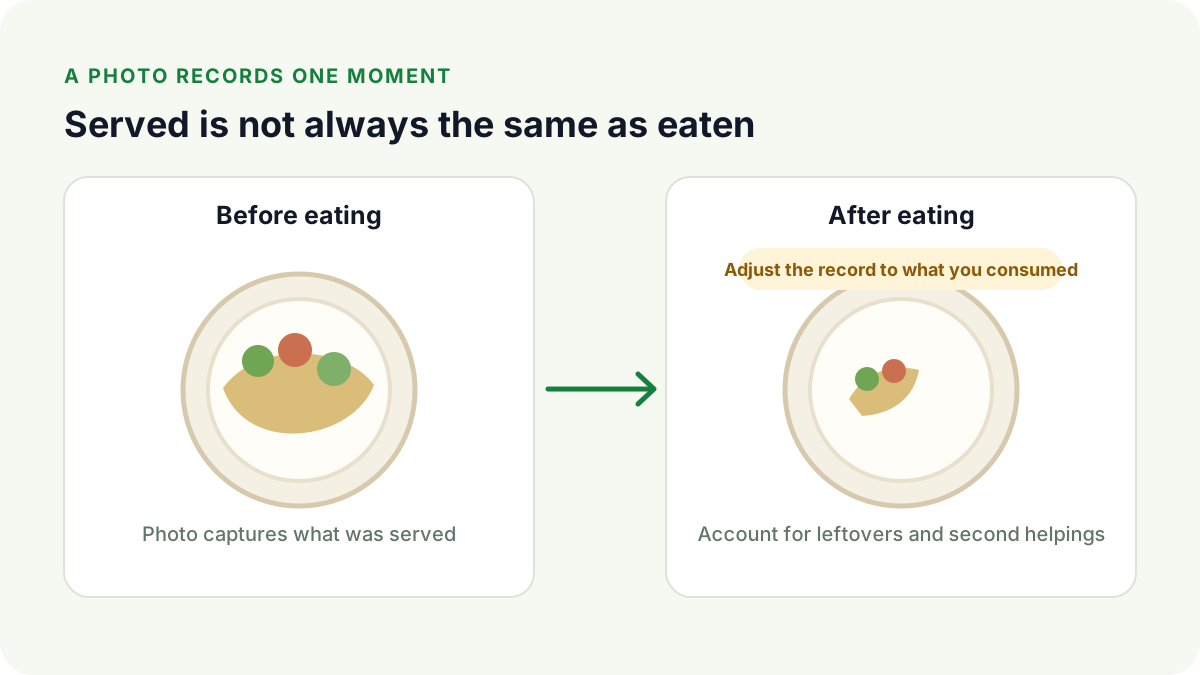
Step 5: Record what you ate, not just what was served
A pre-meal image represents the portion offered. If you leave food behind, share the dish, or add a second helping, consumption differs from the original image. Make a brief note or adjust the record if your chosen tool permits it.
This distinction is especially important with family-style meals. A picture of the entire serving platter does not tell an app which fraction you personally consumed. Decide your portion using the best information available rather than dividing automatically by the number of diners.
A worked example without invented precision
Suppose your lunch is a chickpea-and-rice bowl with vegetables and tahini dressing. The scanner identifies chickpeas and rice, but the rice base is deeper than it appears. The dressing is on the side, and you use only part of it.
A useful review asks three questions: Does the rice amount reflect the bowl’s depth? Is the dressing included in the original estimate? How much of that dressing did you actually consume?
There is no need to assign this imaginary bowl an exact calorie count. Without ingredient weights or a known recipe, a precise-looking total would create confidence the evidence does not support.
For your own meal, MeasureFood offers photo-based calorie and macro estimates. You can scan a meal in MeasureFood and apply the same review process to the result.
When should you use a label instead?
For a packaged meal with a readable Nutrition Facts panel, start with the printed values and the serving amount. Check whether the package contains more than one serving and whether the numbers describe the food as sold or as prepared.
USDA food-composition data can help with basic ingredients when you select a comparable food and preparation. Neither a generic database entry nor a photo should override a clearly matching product label without a good reason.
Keep the method useful, not burdensome
An estimate can support awareness without being exact. Review recurring meals, pay attention to meaningful unknowns, and resist chasing a different answer by scanning repeatedly until a preferred number appears.
If you need tight dietary precision for a medical condition, use the measurement method your healthcare professional recommends. For a deeper explanation of the evidence limits, read what AI calorie-counter accuracy actually means.
For everyday use, the routine is simple: capture, identify, check the portion, and account for what you consumed.
Frequently asked questions
Can I calculate exact calories from one picture?
No. A single picture cannot establish the exact weight, recipe, or composition of everything on the plate.
Should I include a drink in the photo?
Account for the drink, but do not assume a scanner can identify its ingredients from appearance. Milk, syrups, juice, and alcohol need separate context.
What if the meal is already partly eaten?
Estimate the original amount from information you have, or record only the remaining portion and note the limitation. Do not treat a photo of leftovers as the full meal.
References
This article is general education, not medical advice. MeasureFood values are estimates. Read our editorial policy.


